RSAC / Learning
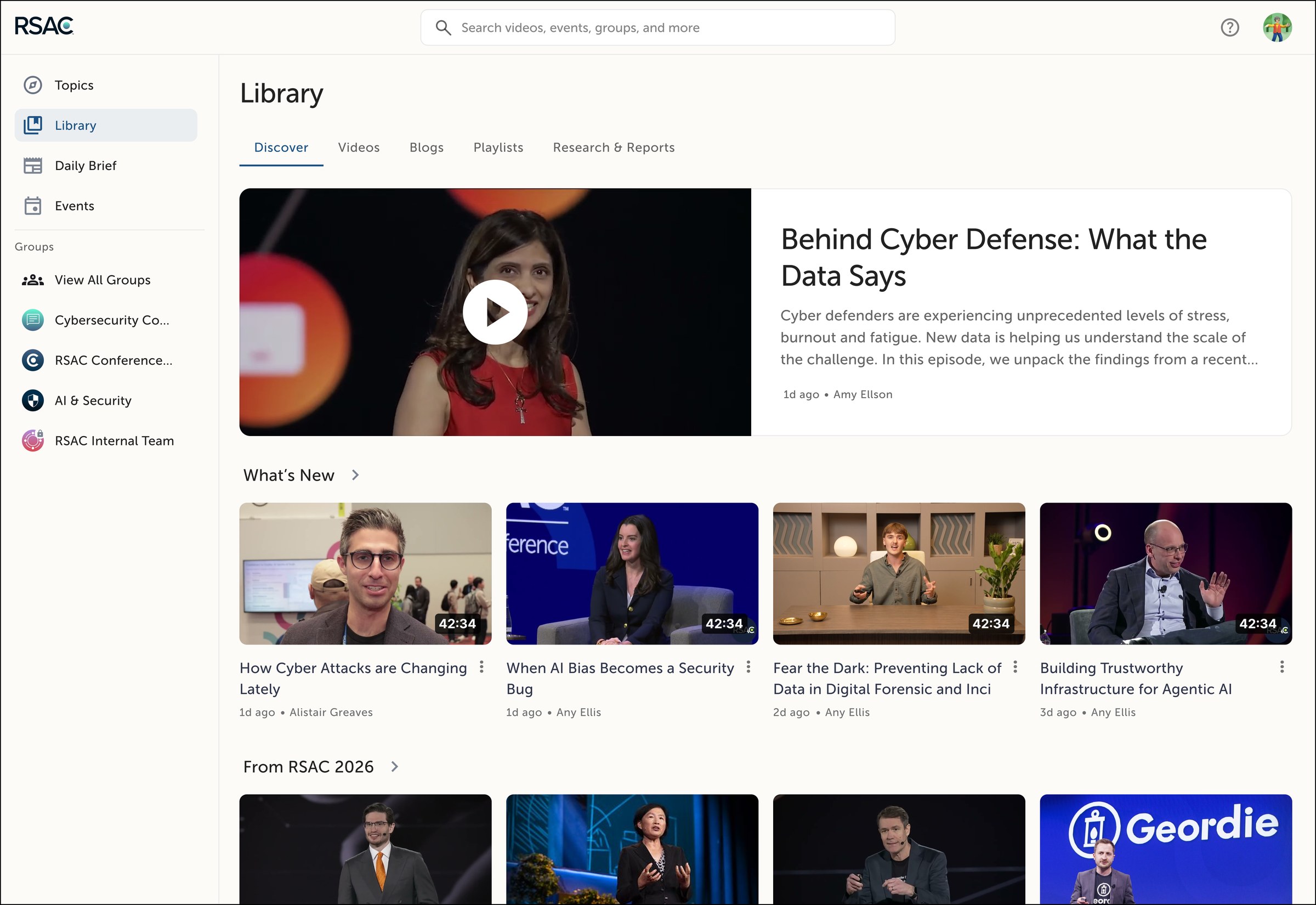
Making security training easy to find, and worth finishing
Beyond its conference, RSAC runs a year-round platform where the security community keeps learning. Many members need CPE credits to keep their certifications current.
I joined in 2025 as one of two product designers, and led the redesign of the learning library, its AI tools, CPE tracking and live events across web and iOS.
Thousands of sessions, and no easy way to find the one you need
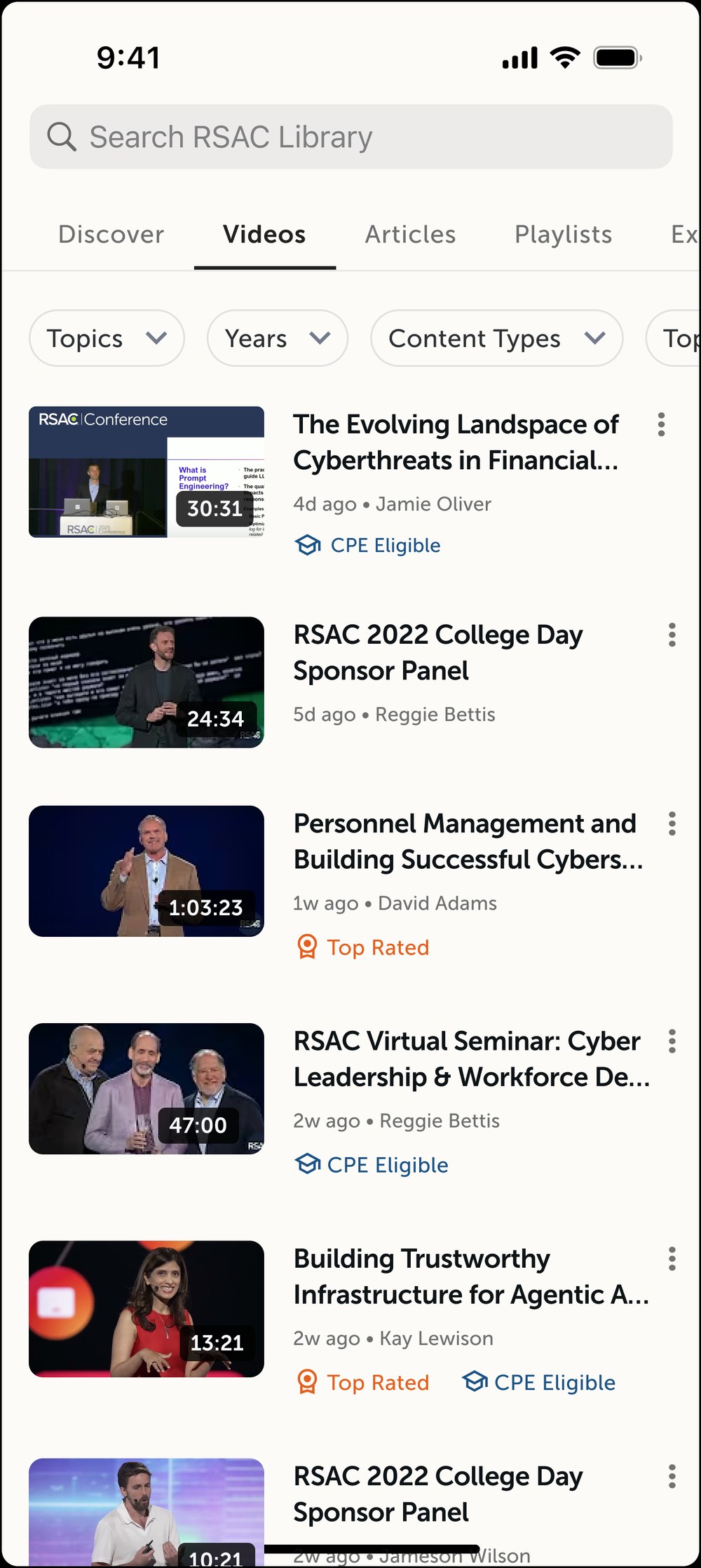
Years of conference talks lived in one long, lightly sorted archive, and members kept telling us the same three things.
Browse by topic, or just ask
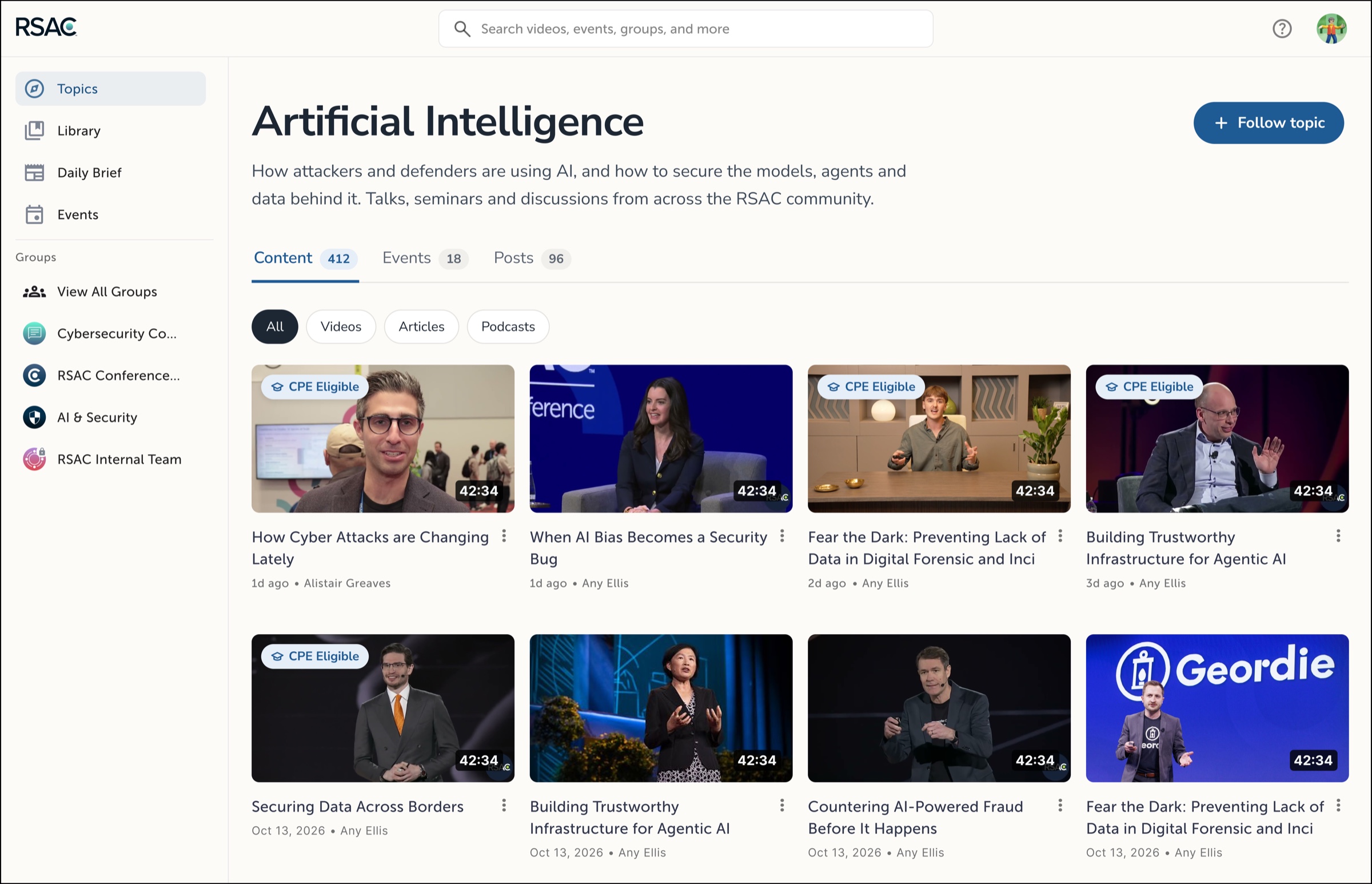
We reorganized the archive by topic, added filters and marked CPE-eligible sessions on the card. For members who don't know where to start, Ask RSAC answers questions from RSAC's own library and links to the sessions it used.
AI that helps you get through the content
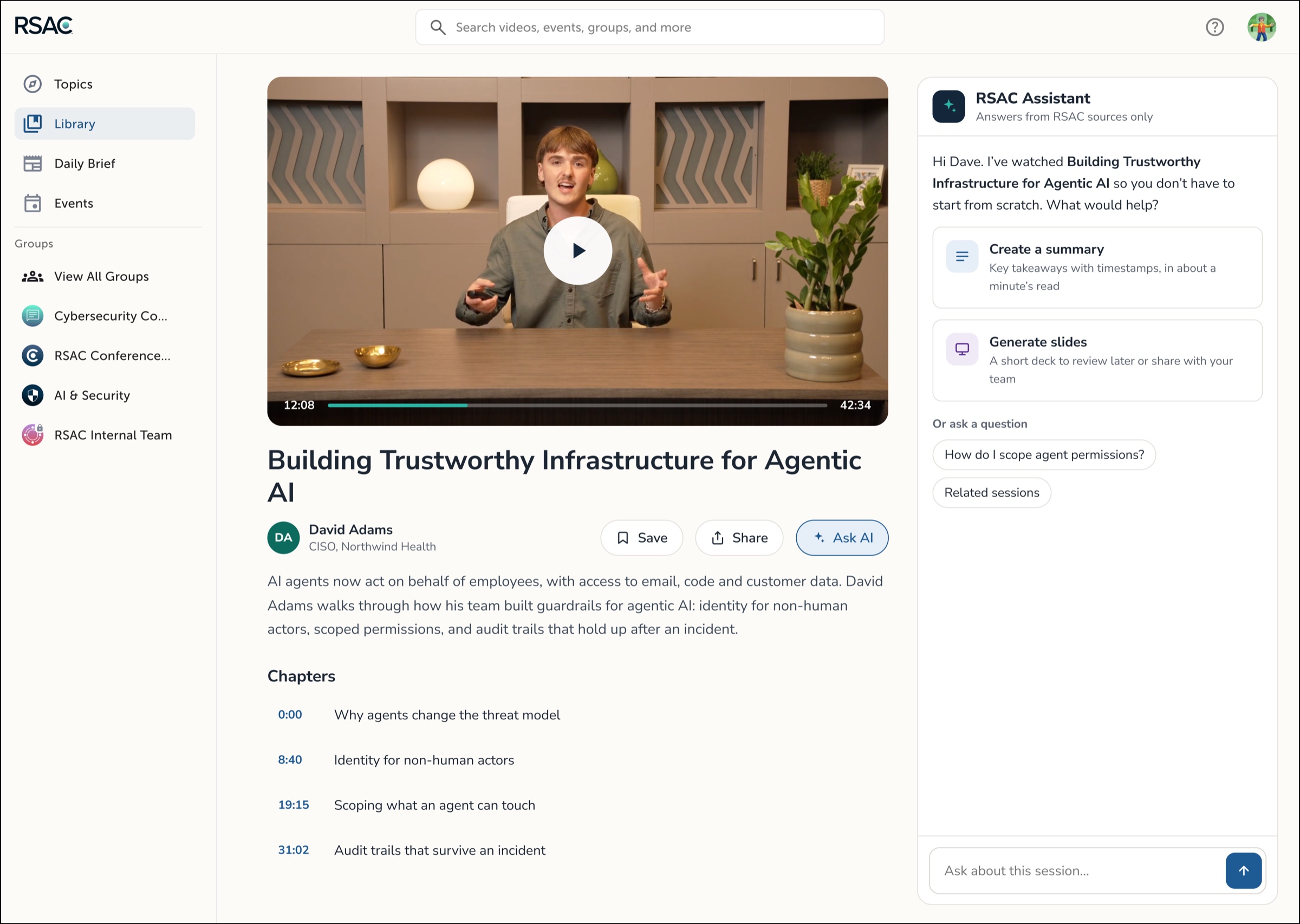
An hour-long talk is a big ask. Every session now has an AI summary of key takeaways, and members can turn any session into a short slide deck to review or share. Both link back to the source video.
CPE credit you can see, track and prove
Sessions show their credit value up front, and every earned credit lands in one downloadable transcript.
Library
Interactive: mark a few sessions watched, then download your transcript as a PDF.
From the calendar to the live room
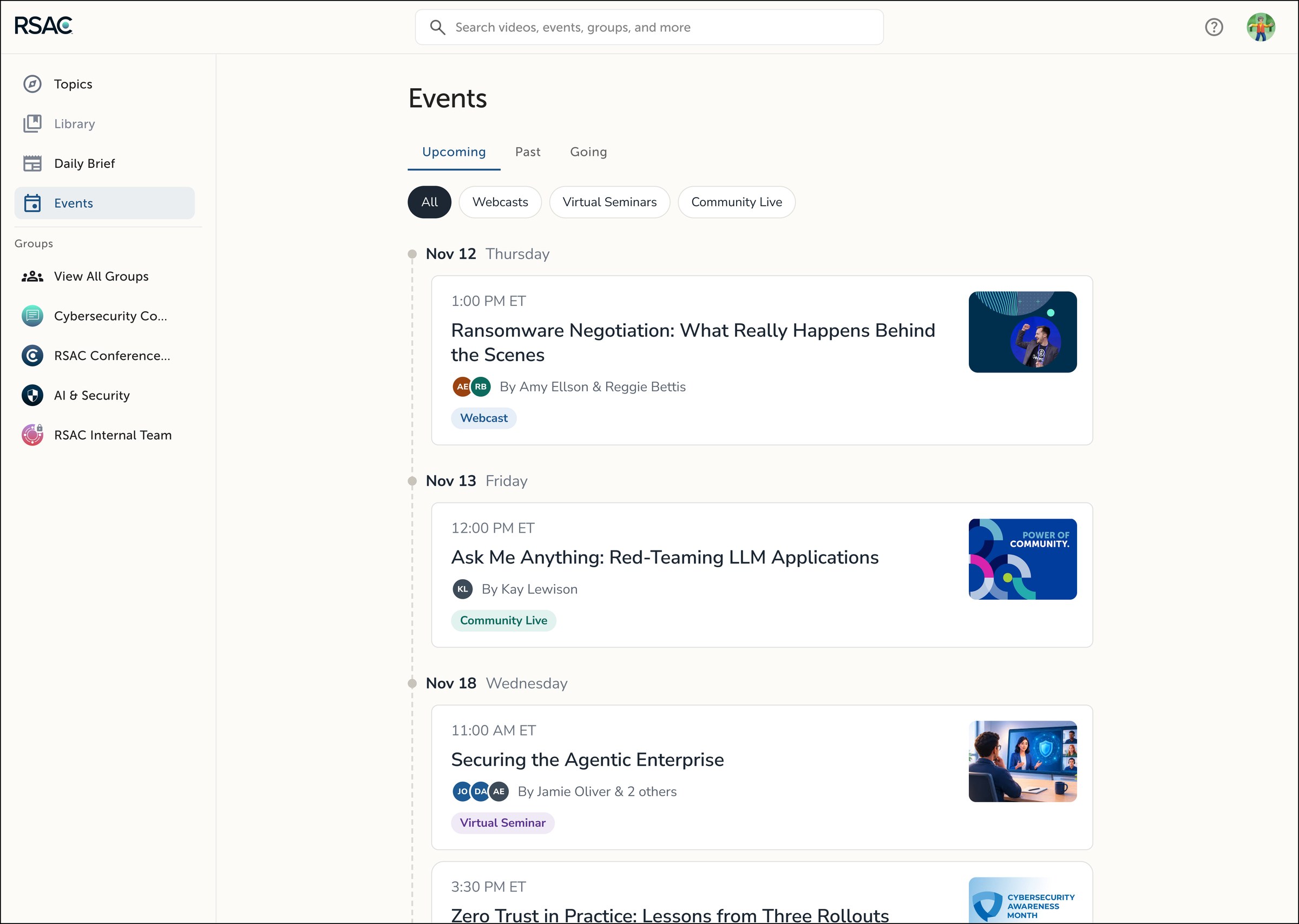
Events sit alongside the library. Upcoming sessions run down a single timeline, filtered by format: webcasts, virtual seminars and Community Live.
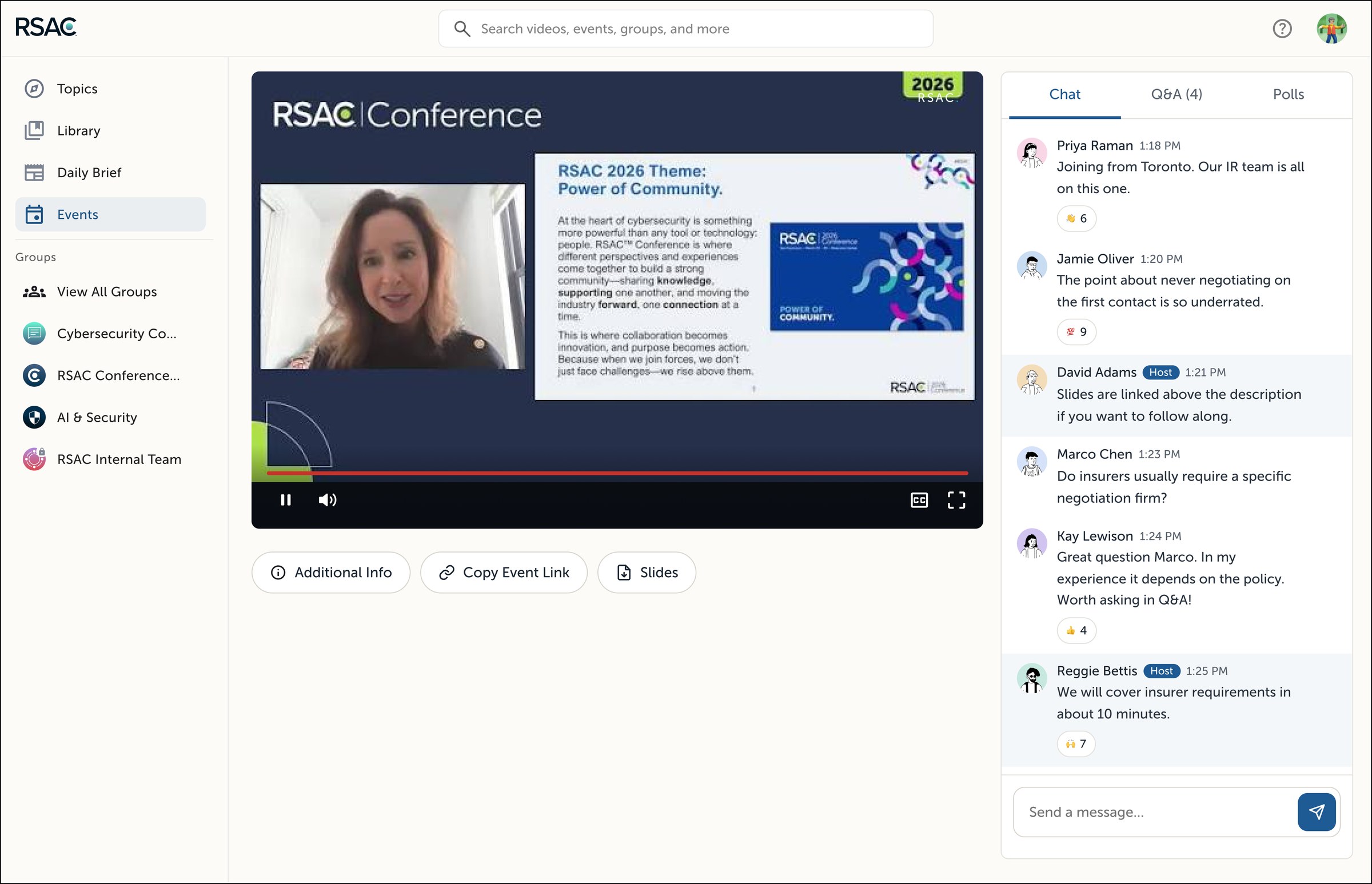
Joining a session opens a live room that keeps the stream, the slides and the conversation together. Chat, Q&A and polls sit beside the video, and hosts are labeled so their answers stand out.
One library, one system, two apps
iOS mirrors the web library, with resume front and center. Behind both, I expanded our component library so cards, filters and badges behave the same everywhere.