dave.

Air Force / Flight Scheduling
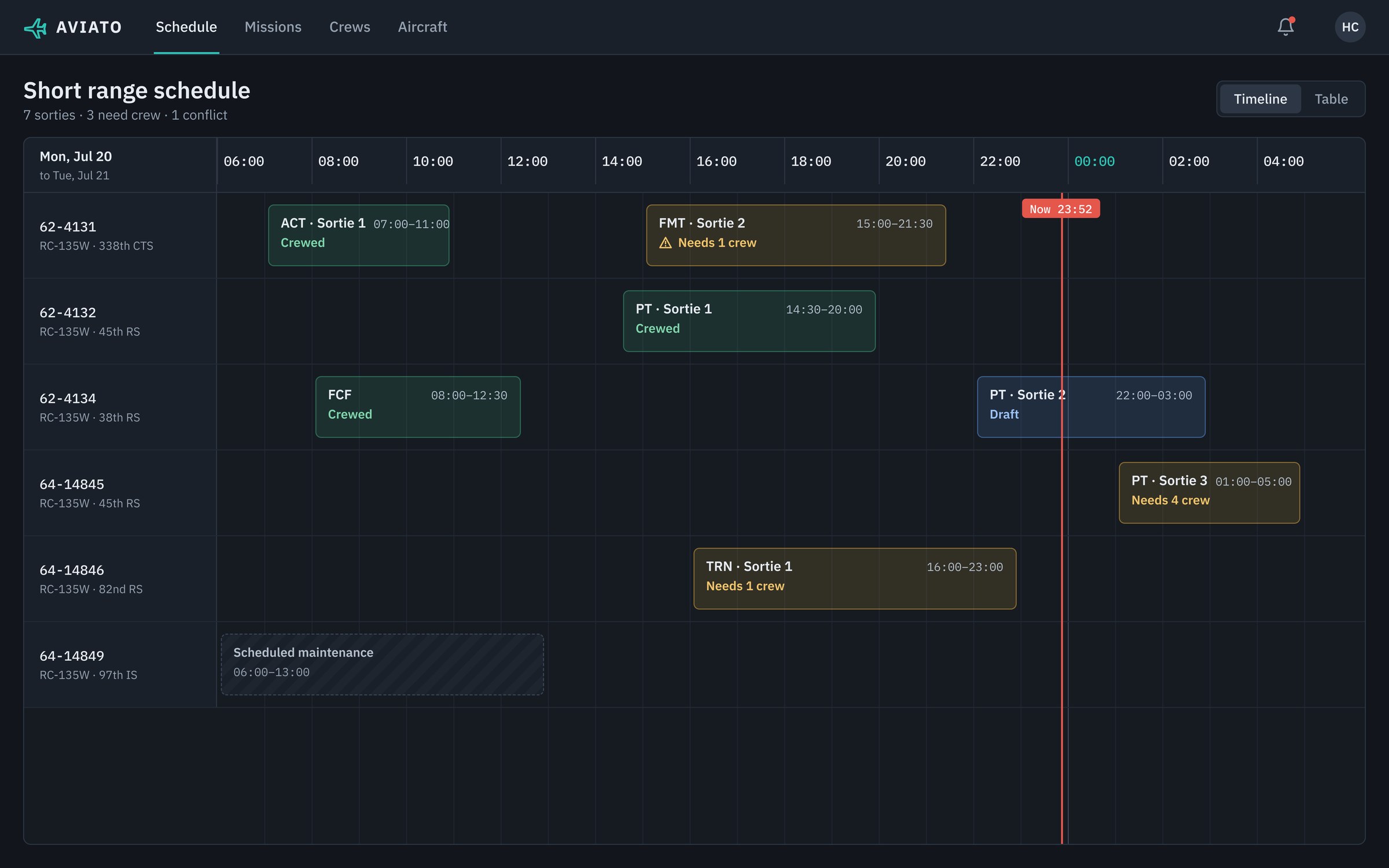
Aviato short range schedule: a timeline of sorties for six aircraft, each marked crewed, draft or needing crew

Replacing spreadsheets and paper with one view of who can fly

Scheduling crews for training flights is one of the Air Force's most tedious jobs. Schedulers cross-referenced spreadsheets and paper to work out who was available, who was qualified, and who needed training most.

Another team had already built scheduling for the flights themselves. Our team was spun up for the people side: helping schedulers choose who goes on each flight.

01 · Research

Mapping a scheduler's workflow, step by step

I interviewed schedulers, our subject matter expert and our main stakeholder, then mapped every step of their workflow, its pains and its opportunities in a service blueprint.
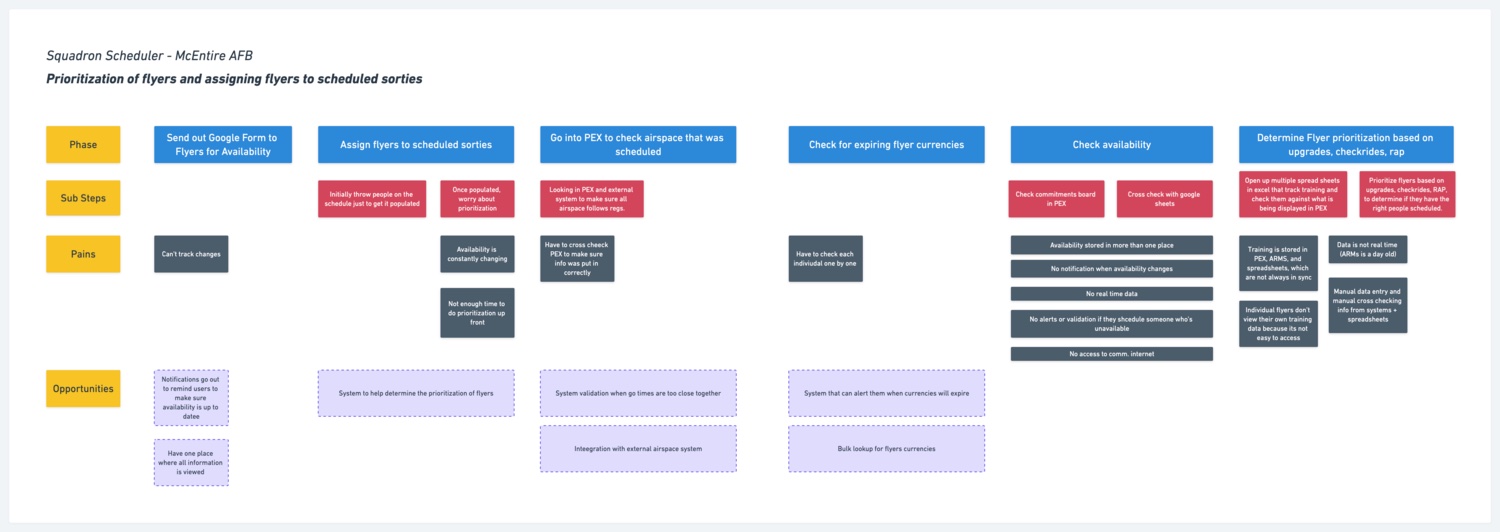
Service blueprint for a squadron scheduler at McEntire AFB, mapping phases, sub-steps, pains and opportunities for assigning flyers to sorties
Data in too many places Training records lived in PEX, ARMS and spreadsheets that were rarely in sync.
Nothing in real time Availability changed constantly, with no alert when someone unavailable was scheduled.
One flyer at a time Expiring currencies had to be checked person by person.
02 · Design sprint

Putting the team's domain knowledge to work

With so much cross-team expertise on hand, I ran a design sprint to give ideation real time. On day one we agreed the long-term goal: a system that suggests the right people who are also available for each mission.
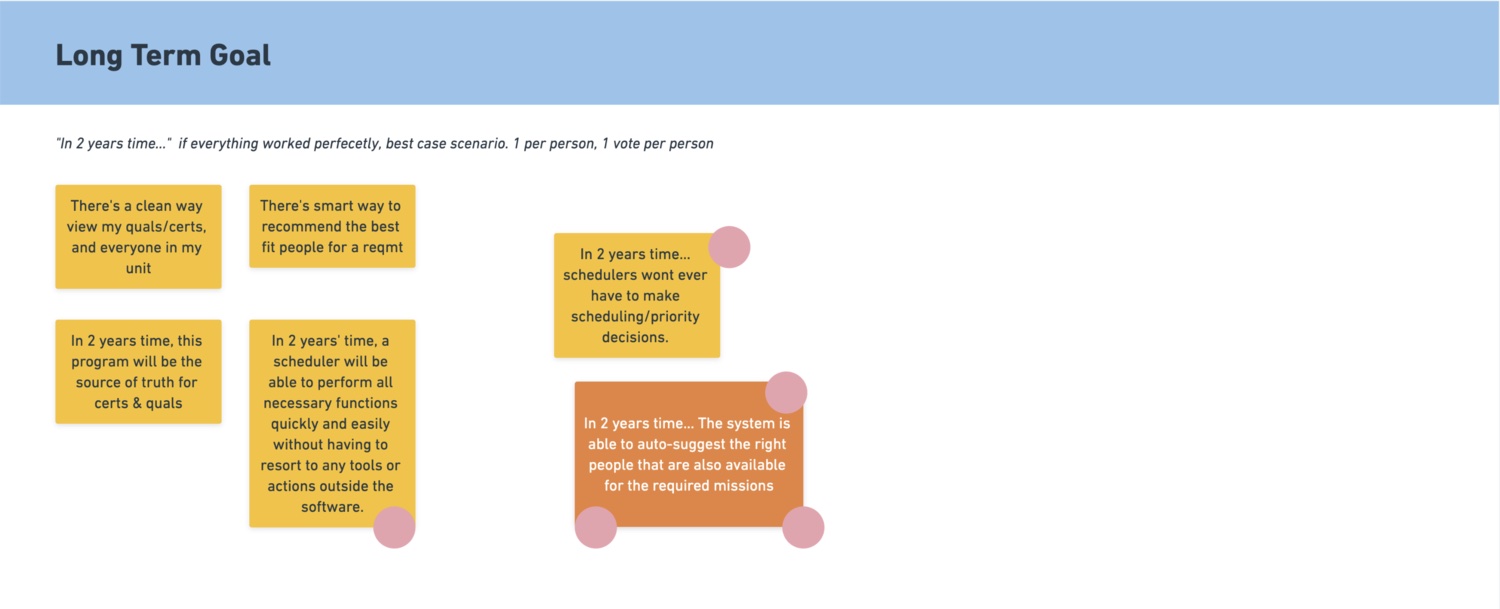
Sprint board of long-term goal sticky notes, with dot votes on a system that auto-suggests the right available people for each mission
Day 1: long-term goals, dot-voted by the team
03 · Sketch to prototype

From sprint sketches to testable prototypes

After a few days of sprinting we had a wall of ideas. I turned the strongest into prototypes, tested them with users, and refined them into one flow. Schedulers start from the short range schedule above, where every sortie shows whether it still needs crew.

01  Day view
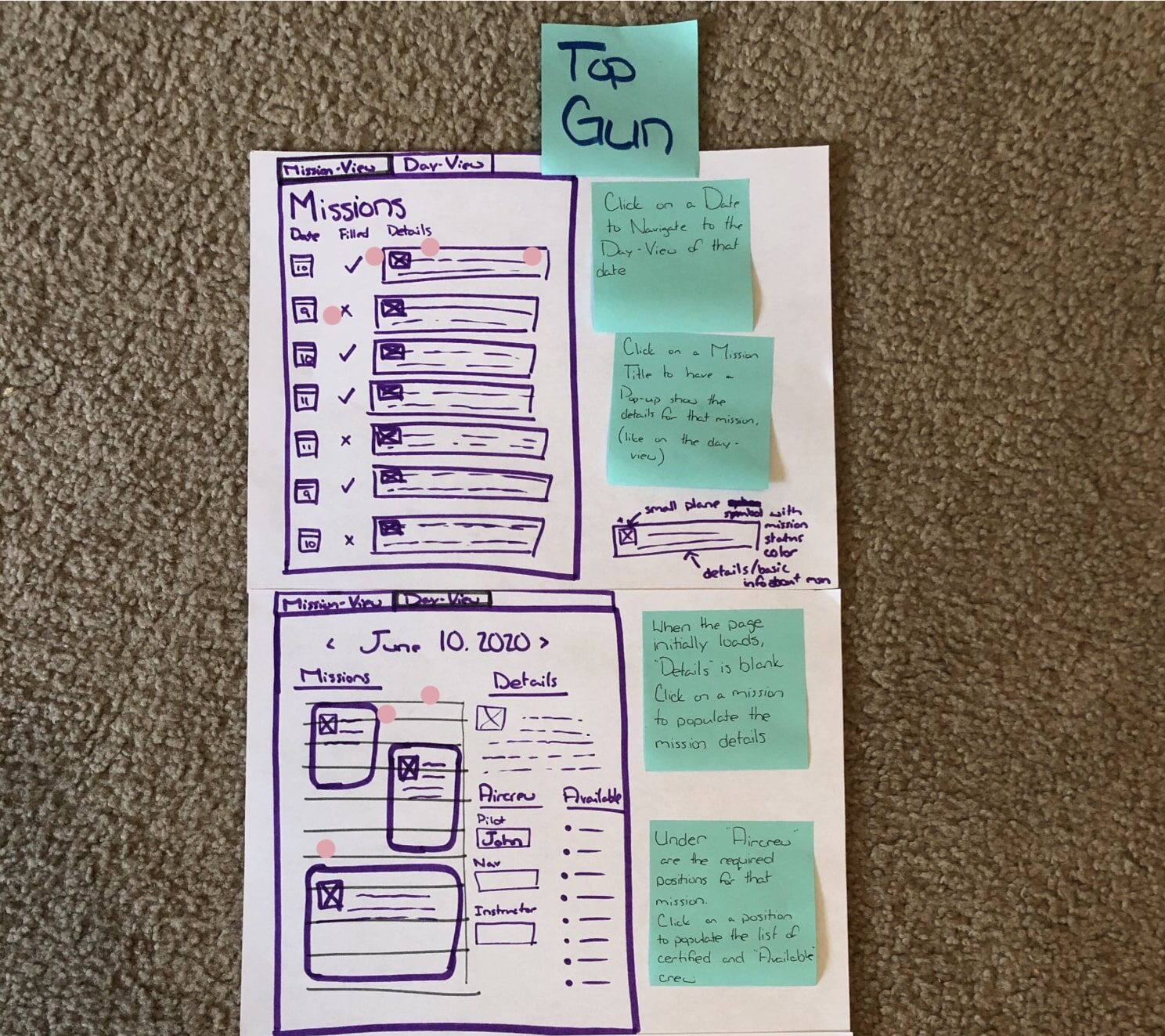
Paper sketch labelled Top Gun of a missions list and a day view, with sticky notes explaining how to fill crew positions
Sprint sketch
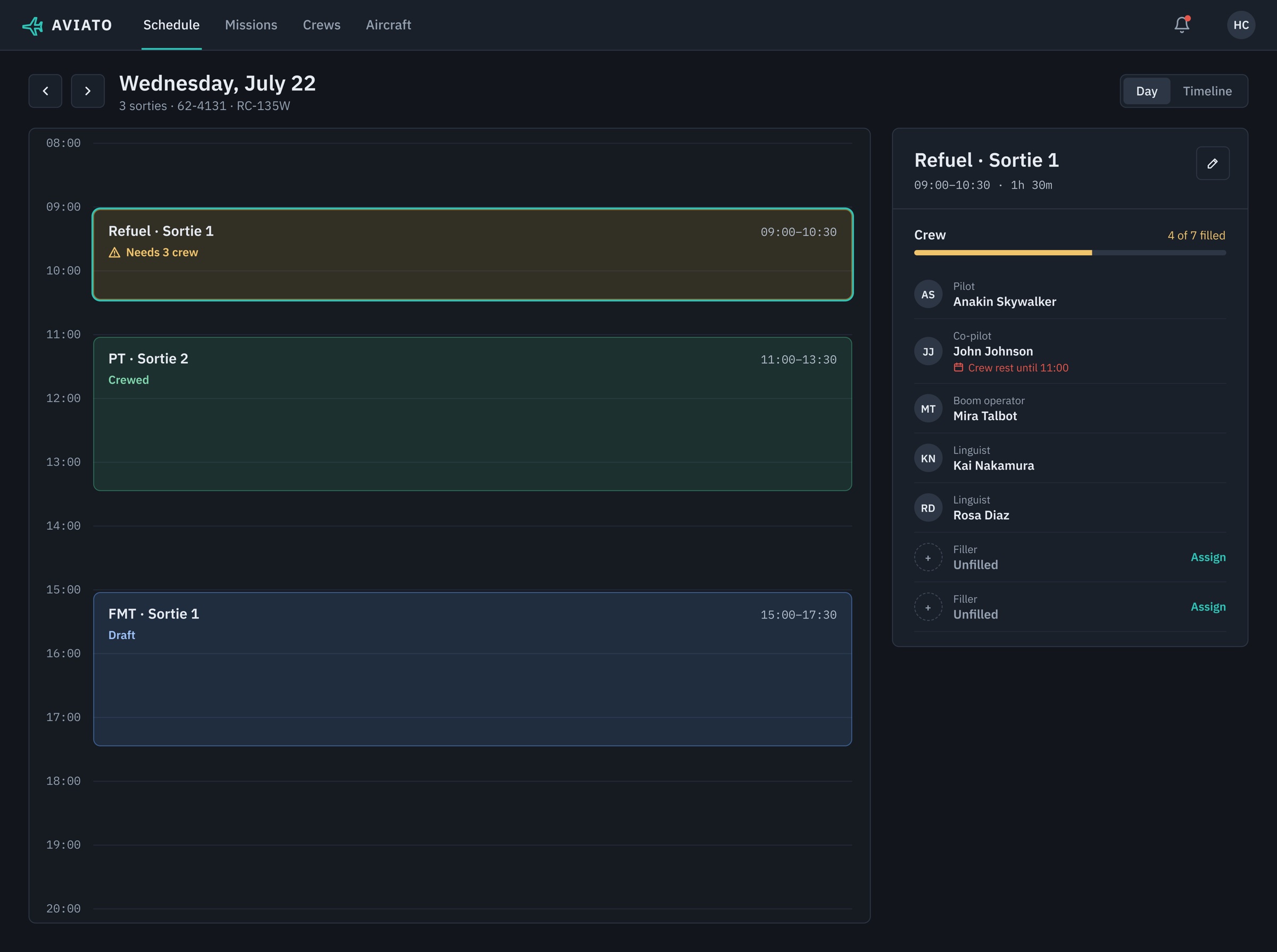
Aviato day view for July 22 with three sorties and a Refuel Sortie 1 panel showing 4 of 7 crew filled and a crew rest conflict
Testable prototype

Click into a day to see how many crew each sortie still needs. Selecting one lists every position, with conflicts like crew rest flagged.

02  Add a sortie
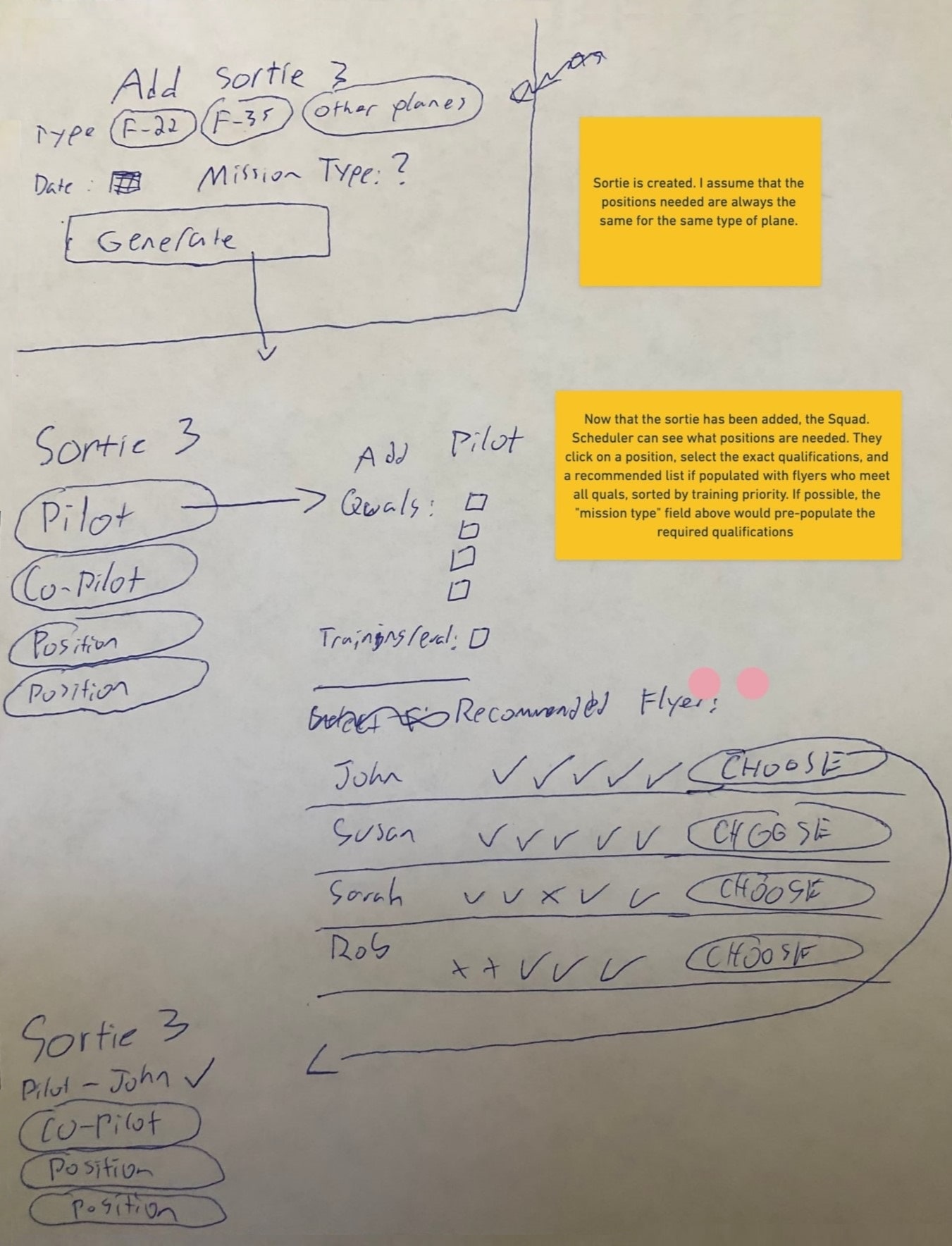
Paper sketch of adding a sortie by aircraft and mission type, then picking a pilot from recommended flyers
Sprint sketch
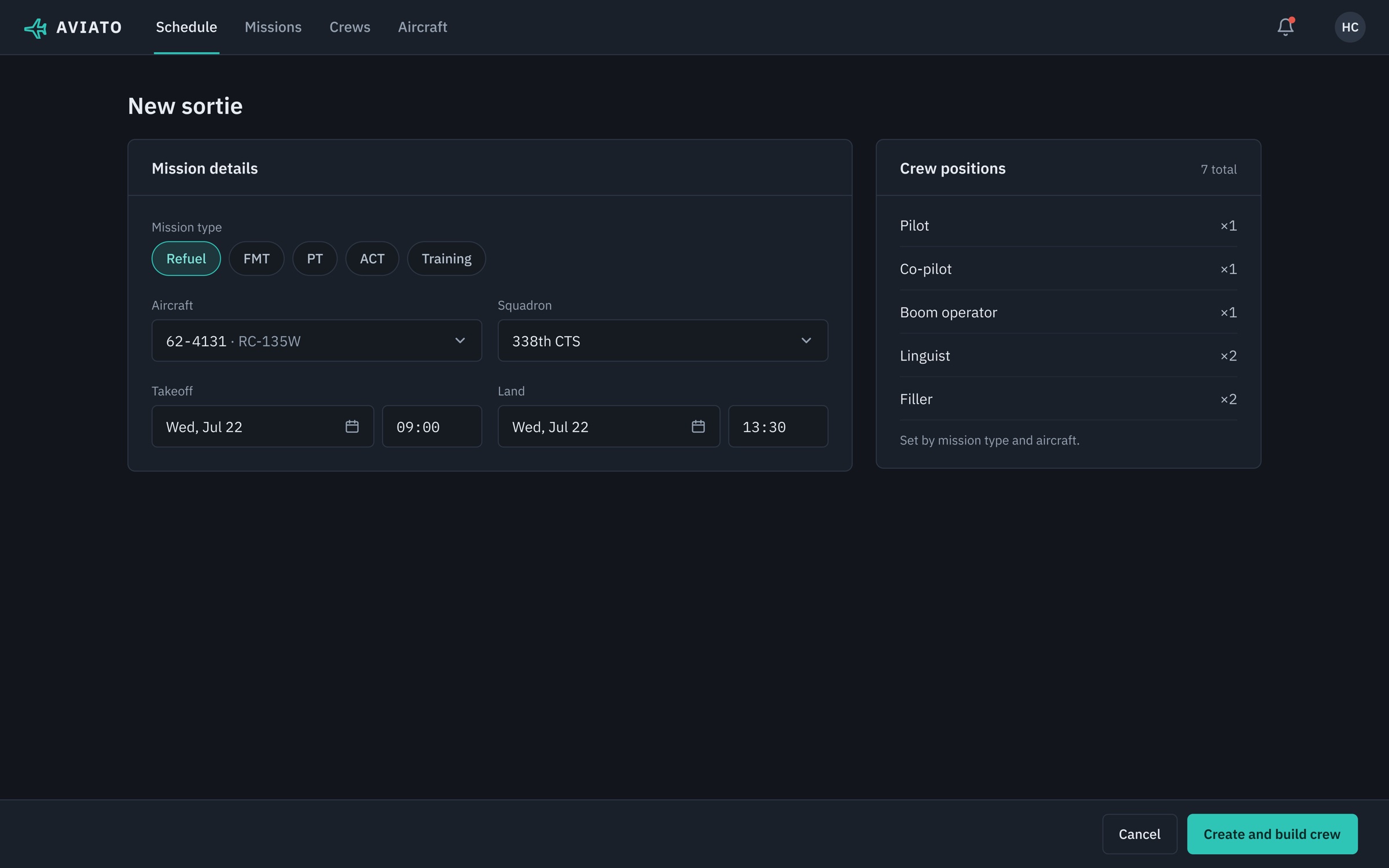
Aviato New sortie form with mission type chips, aircraft, squadron, takeoff and land times, and seven crew positions set by mission type
Testable prototype

Choose the mission type, aircraft and times. Crew positions are set automatically, so the scheduler goes straight to building the crew.

03  Build the crew
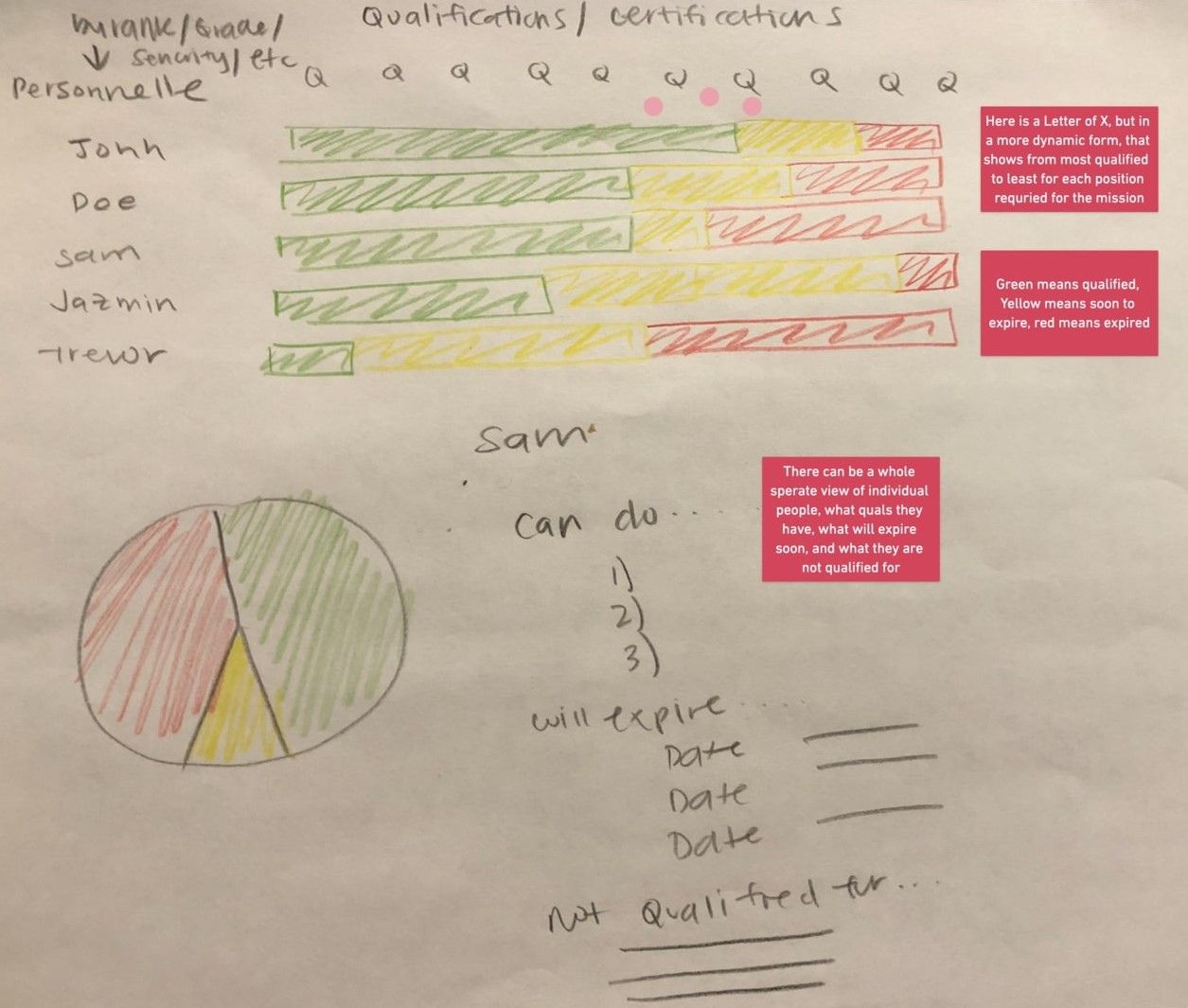
Colored-pencil sketch of flyers' qualifications as green, yellow and red bars, with an individual breakdown below
Sprint sketch
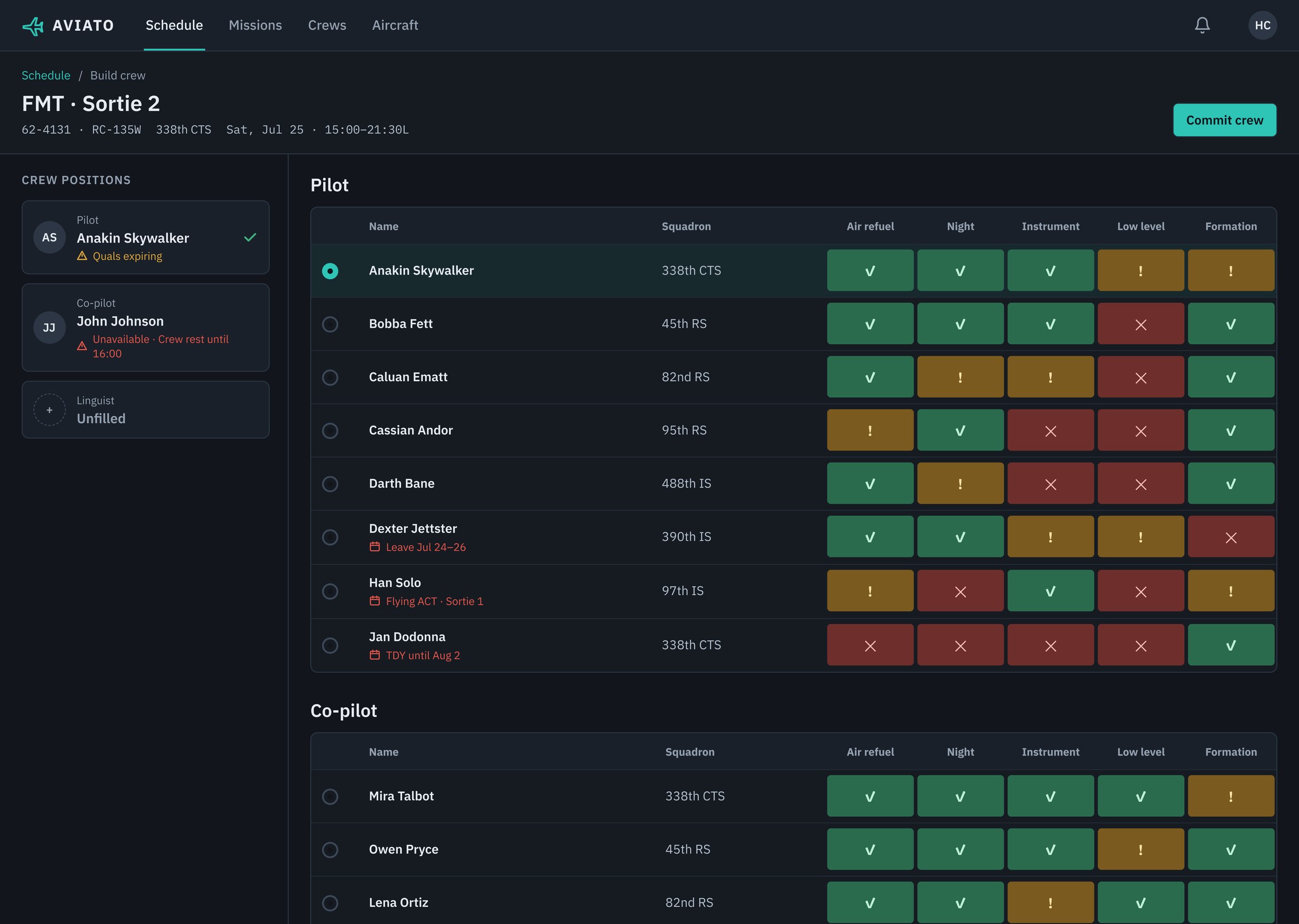
Aviato Build crew screen for FMT Sortie 2 with crew positions on the left and a pilot qualification matrix flagging leave, TDY and other sorties
Testable prototype

Build the crew from every candidate's qualifications at a glance (green current, amber expiring, red expired), with leave, TDY and other sorties flagged before anyone is committed.

Result
20+ Air Force bases the concept was slated to roll out to, after highly successful initial user tests.
1 view Of who's available, qualified and due for training, in place of spreadsheets and paper.
NextAir Force / F-35 Maintenance